Teardowns › Homepages & product pages › Hick’s law
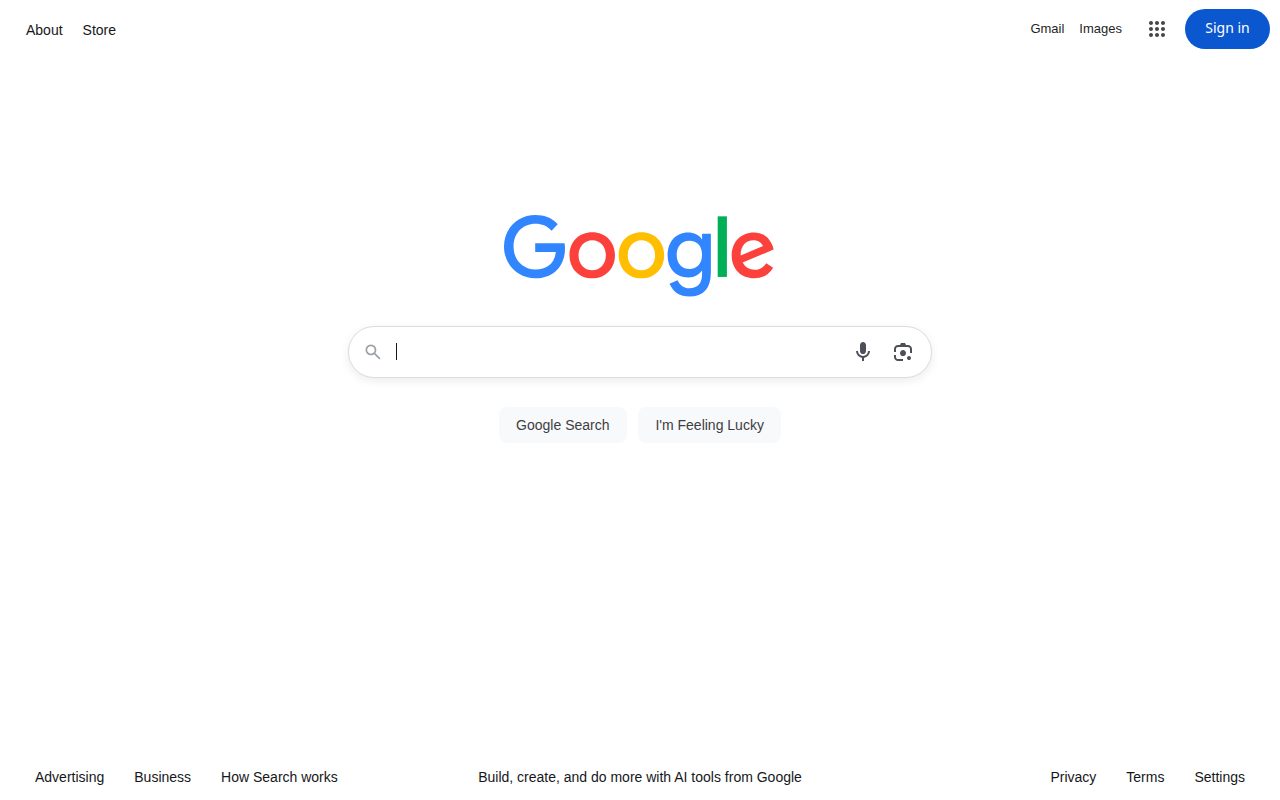
Google keeps the search choice to two buttons
Put the common action on one button and the alternative on a second.
Step by step
- 1Hick’s law
“Google Search”
- 2Hick’s law
“I’m Feeling Lucky”
5 new nudges, every Friday
Five real product and marketing moments, one thing to try from each, and the psychology behind it. Weekly issues start soon. Your email is stored with our email provider (Resend) and used only for this newsletter.
What to steal
- Put the common action on one button and the alternative on a second.
- Keep the other links, but don’t give them the same size as the main choice.
What to test next: Two buttons under the field vs the same page with extra actions as buttons of the same size. Measure time to the first search.
In plain words
Why it works
Google uses Hick’s law: the time it takes to choose grows with the number of options (Hick 1952). Under the empty search box, the only two buttons are “Google Search” and “I’m Feeling Lucky”. The rest of the capture is smaller links: About and Store at the top left, Gmail, Images and Sign in at the top right, and a footer with Advertising, Business, How Search works, Privacy, Terms and Settings, plus “Build, create, and do more with AI tools from Google”. The choice the page is built around is those two buttons. Whether two buttons make people search faster on Google is not public.
Honest nudge or dark pattern?
Honest nudge
Honest nudge: both actions are labelled, neither is preselected, and the other links stay visible.
Sources: Captured by Nudgeswipe, 4 Nov 2026 (homepage, logged out)
Context
Google homepage, logged out, on 4 Nov 2026. The search field was empty. No query was typed.
Next: run it on your product
Try it on your own product
Opens your assistant with this teardown, our verdict and the steps above. It asks about your product first, then suggests tests you can run.
Read the prompt, or use another assistant
Grok and Cursor open with the prompt filled in. Gemini and Codex can’t take a prefilled link, so the prompt is copied and you paste it in.
Sources
- Our capture of google.com, 4 Nov 2026
- Hick (1952), On the Rate of Gain of Information. doi.org/10.1080/17470215208416600
- Captured by Nudgeswipe, 4 Nov 2026 (homepage, logged out): google.com
5 new nudges, every Friday
Five real product and marketing moments, one thing to try from each, and the psychology behind it. Weekly issues start soon. Your email is stored with our email provider (Resend) and used only for this newsletter.